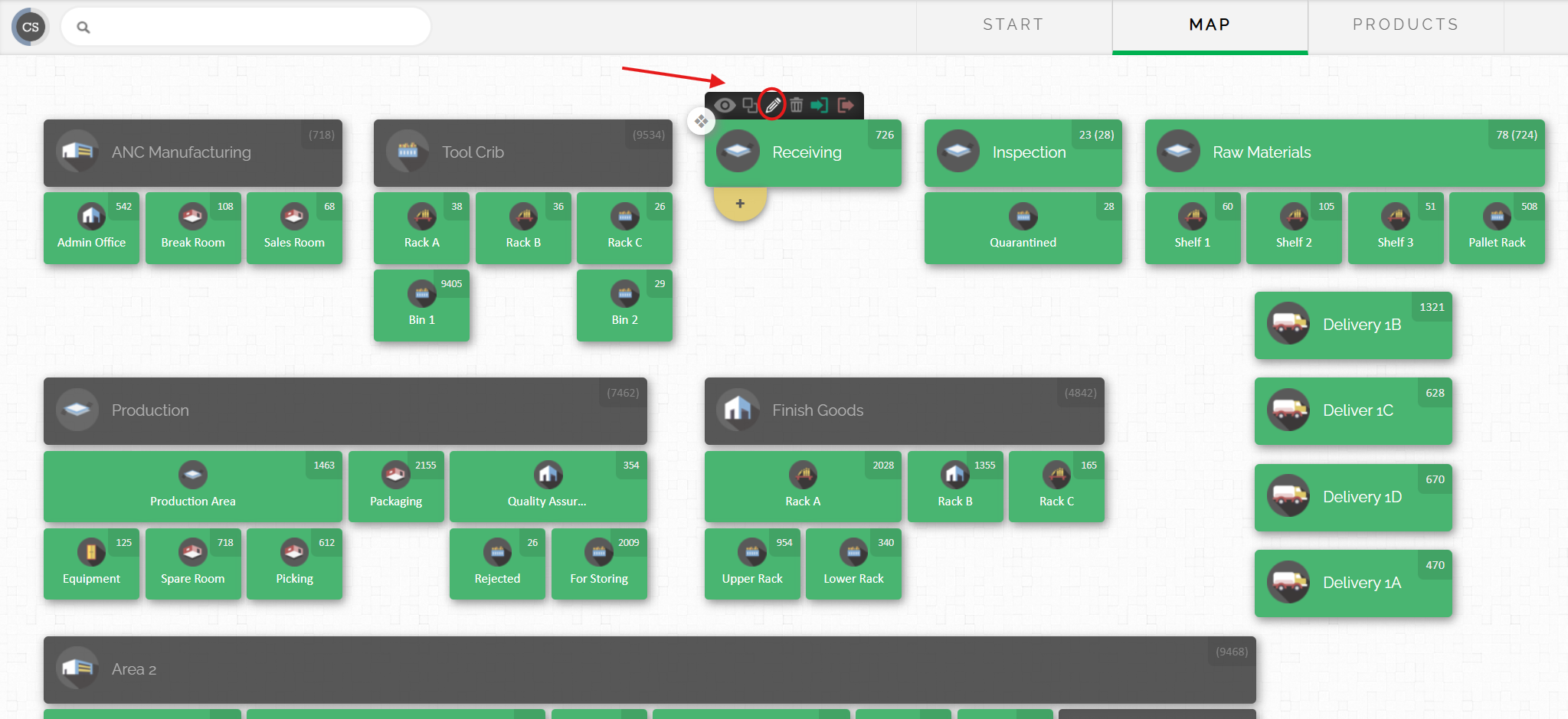
Step 1: Select the location from the map (example: Receiving location on the map)that you want to set up as a kiosk
Step 2: Hover your cursor over that location until the small icons above appears.
Step 3: Click the edit option (pencil icon) to edit the location
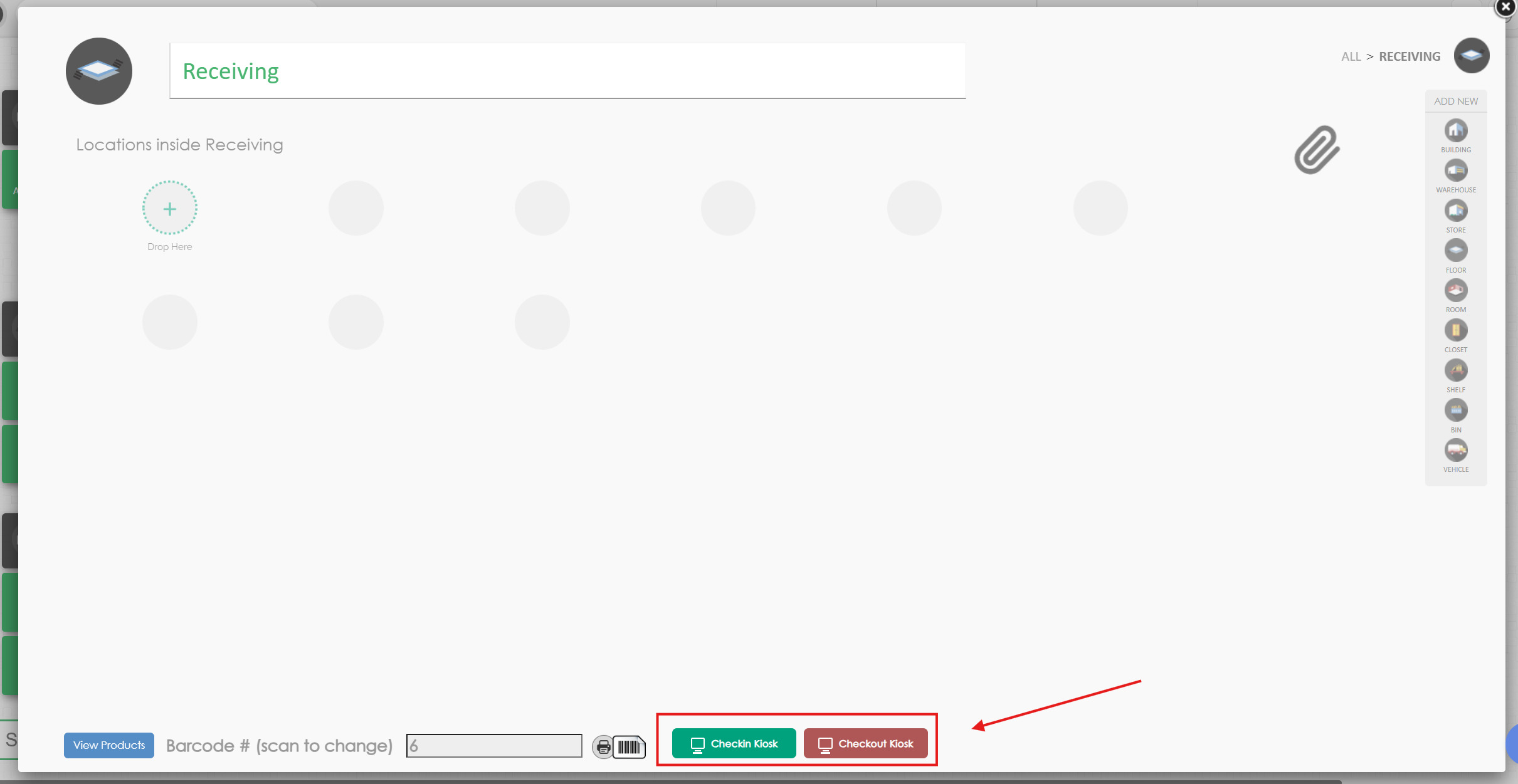
Step 4: Select the kiosk button (check in / check out) at the bottom of the window
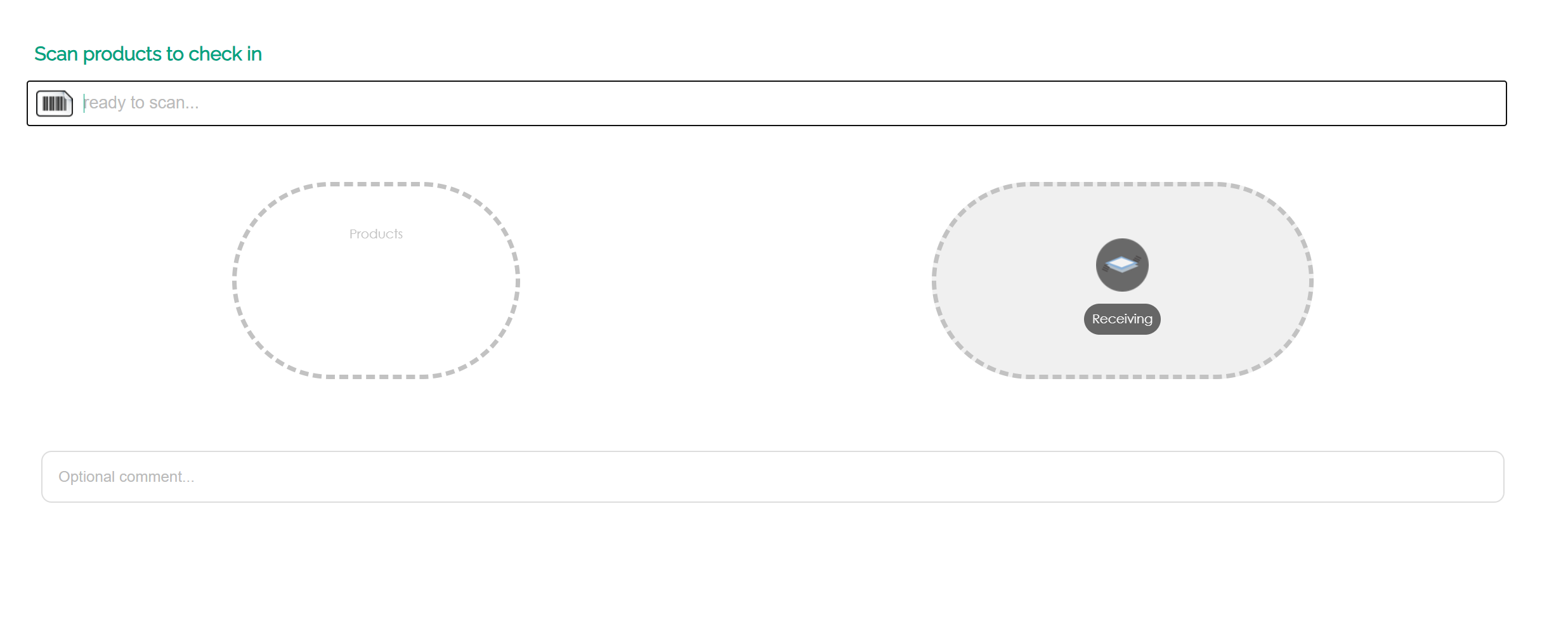
Step 5: A new windwow will pop up. wait for it to load then you can start scanning products. In the example below, the kiosk is set up for check in. All products that will be scanned will be scanned will be checked in into "Receiving" location.