

Leaving comments is a very useful way to add extra layers of visibility and traceability when managing your inventory. We strongly recommend that users always leave comments after every transaction so that they will be able to retrace their steps later and find things more quickly.
What Should I Include in a Transaction Comment?
After you perform a check-in/checkout/transfer, you will be brought to a window where you can enter a comment. It's very useful to include any details pertinent to the transaction in your comments. This can include information about the vendor, a purchase order number, a transaction number, a reason or explanation for the transaction, or any detail you think may be helpful for you and your team in the future.
To avoid confusion, it's often helpful to stick to a consistent format when entering comments.
As an example, during check-in, maybe you want your employees to use a standard format:
Vendor: Sony Centre
P.O. #: PO 13245 Reason for transaction: Restock
This way, in the future, anyone on your team will be able to find this transaction again by searching any of the details. The user who created the comment, as well as the date and tim,e will automatically be recorded in the activity history, so there is no need to include those details in the comments.
Where Can I Find Every Transaction Comment?
Transaction comments will automatically be saved in the Activity History page.
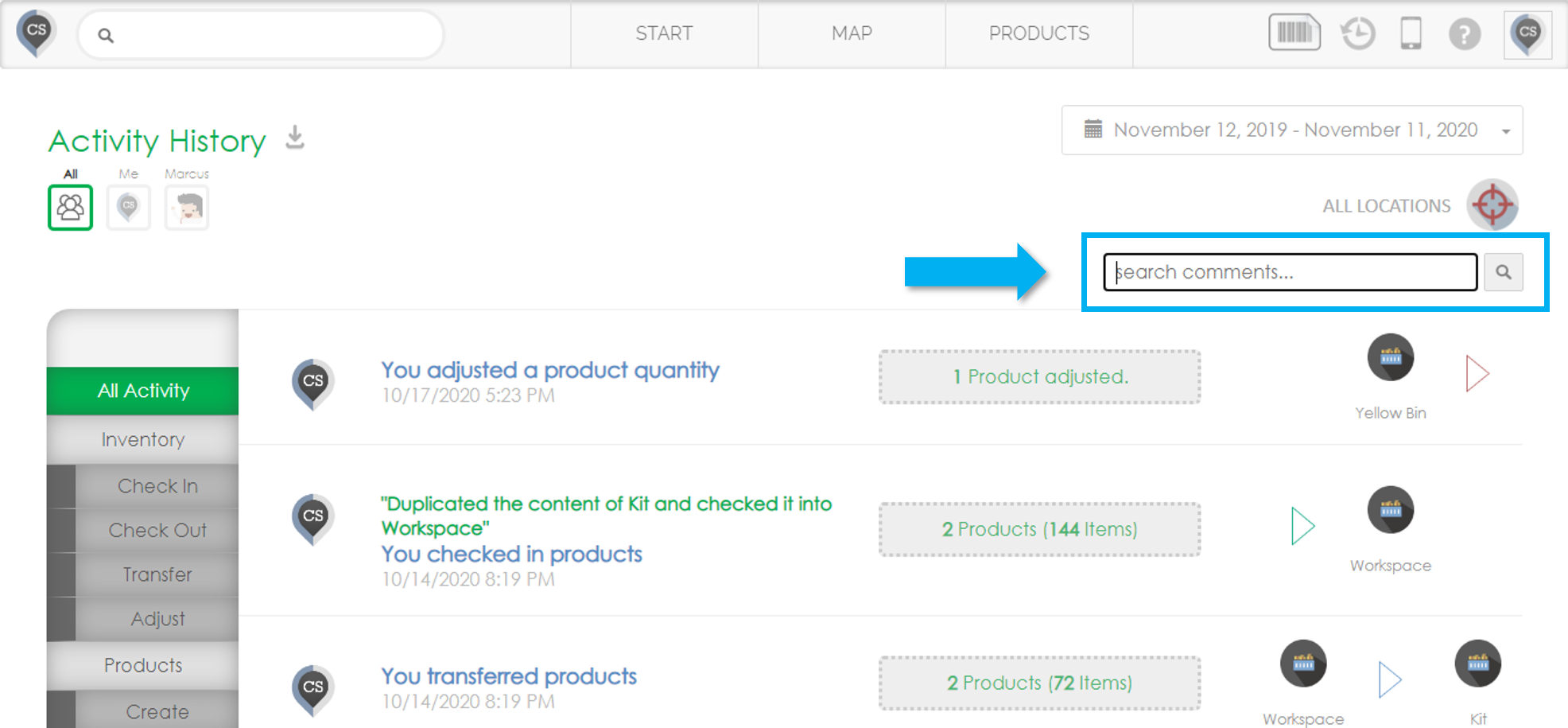
Any detail that was included in a comment can be searched using the text box in the top right corner of the page.