

Catalog vs Inventory
In CyberStockroom, every time a new product is created, it is automatically added to your catalog. This doesn't necessarily mean that it has to be part of your inventory.
We consider inventory to be only those items that are CHECKED IN to any location.
It is possible for a user to have thousands of products in their catalog but only have a few active/checked in ones. There is no limit to how large your catalog can be or how many items you can check in to inventory.
This means that to put a product in your inventory, you have to do 2 things:
Check it in to a location
Catalog
You can see all the products in your catalog by going to the Products page and choosing 'All Locations' on the selector in the top right. If you want to see a more detailed discussion about this, please take a look at our article about Viewing Products.
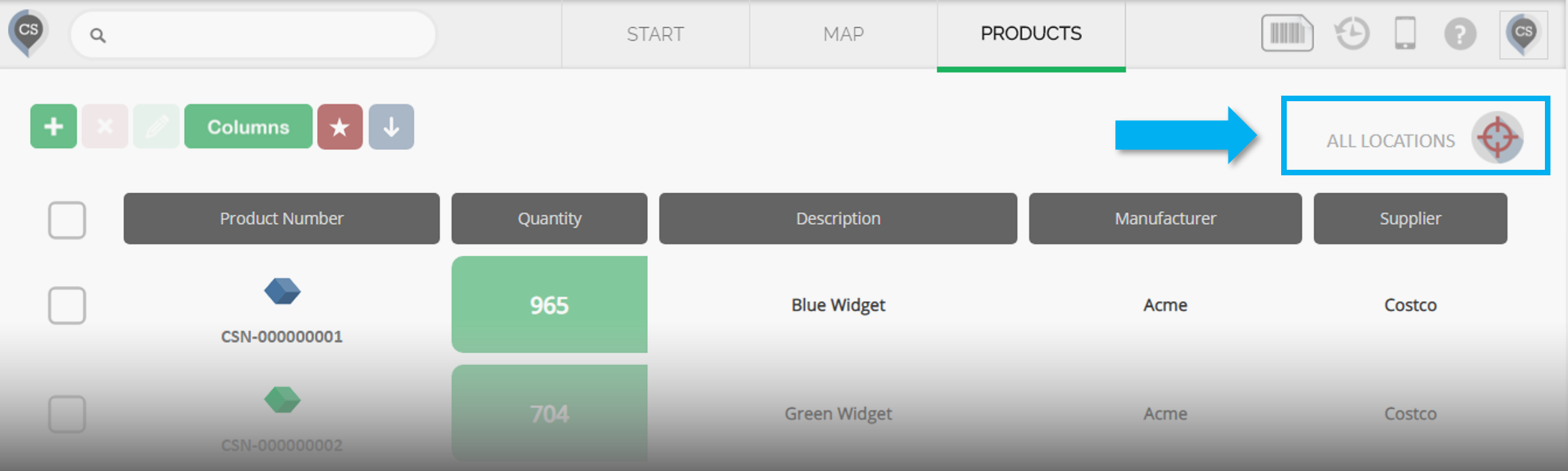
You can also download a report containing all the products in your catalog by checking the 'Include Products with 0 Quantity' checkbox when downloading a product report. You can read more about this in our Downloading Product Reports article.
Inventory
You can see your inventory by clicking on any location on the Map or by selecting a specific location on the Products page. You can read more about this in the Viewing Product Quantities and Locations article.
You can adjust your inventory levels by checking products in and out of locations. Please take a look a the Checking Products in and out Of A Location article for reference.