
If you have a very large map with a lot of locations, it can be difficult to quickly spot each one on the map. If you have a specific location in mind but you can't find it on the map, the search bar or the location selector can help you.
Using the Search Bar
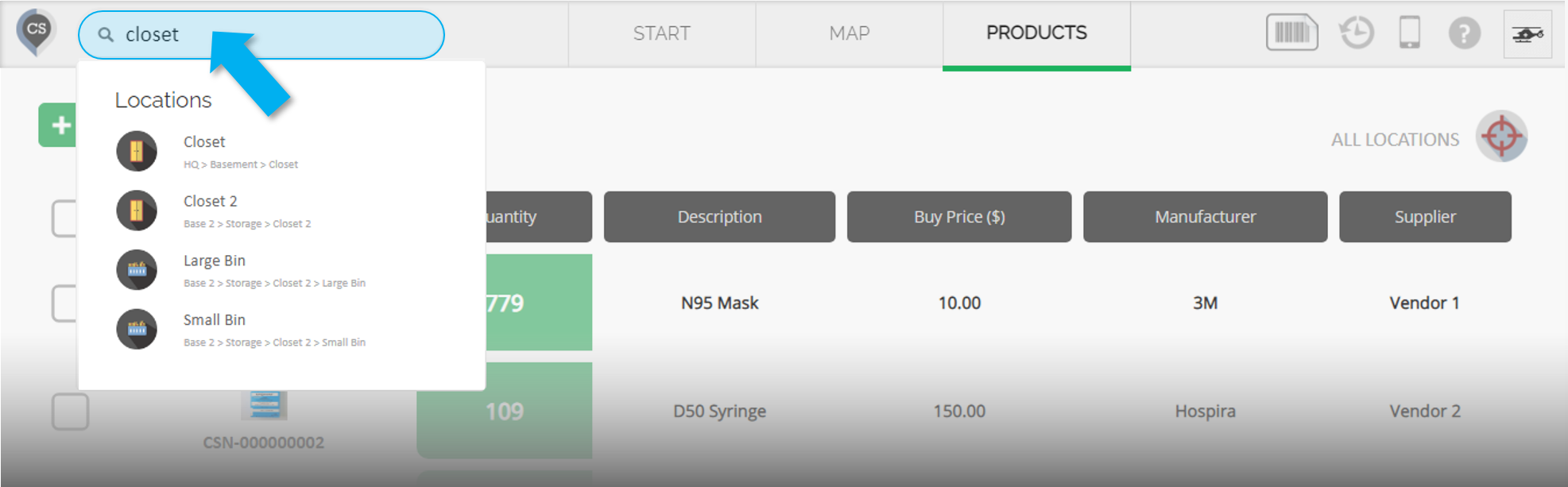
Type the name of a location in the search bar, and the search results will appear below as you type.
If the location you are looking for is a sub-location, the location(s) above it will also be shown in the results.
If there are multiple locations with the same name, they will all appear in the results.
The search bar is located in the top menu on the left and can be accessed from any page of your account.
Using the Location Selector
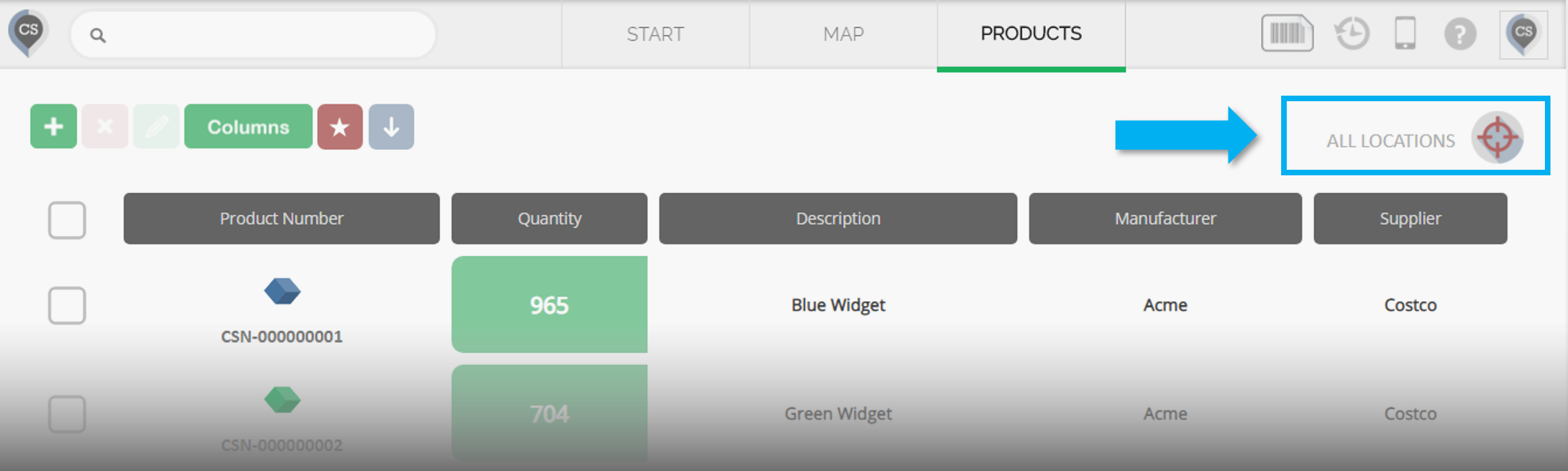
The location selector can be found in the top right corner of the Products page.
Hover your mouse over the selector, and all the primary locations on your map will appear.
Hover your mouse over any location to view its sub-locations.
Using a barcode scanner
If you have set barcodes for your locations, you can use the Quick Scan function to quickly identify locations during Check-in, Check-out, and Transfers.