

Editing One Product at a Time
Select the product that you wish to edit (See Searching and Viewing Products).
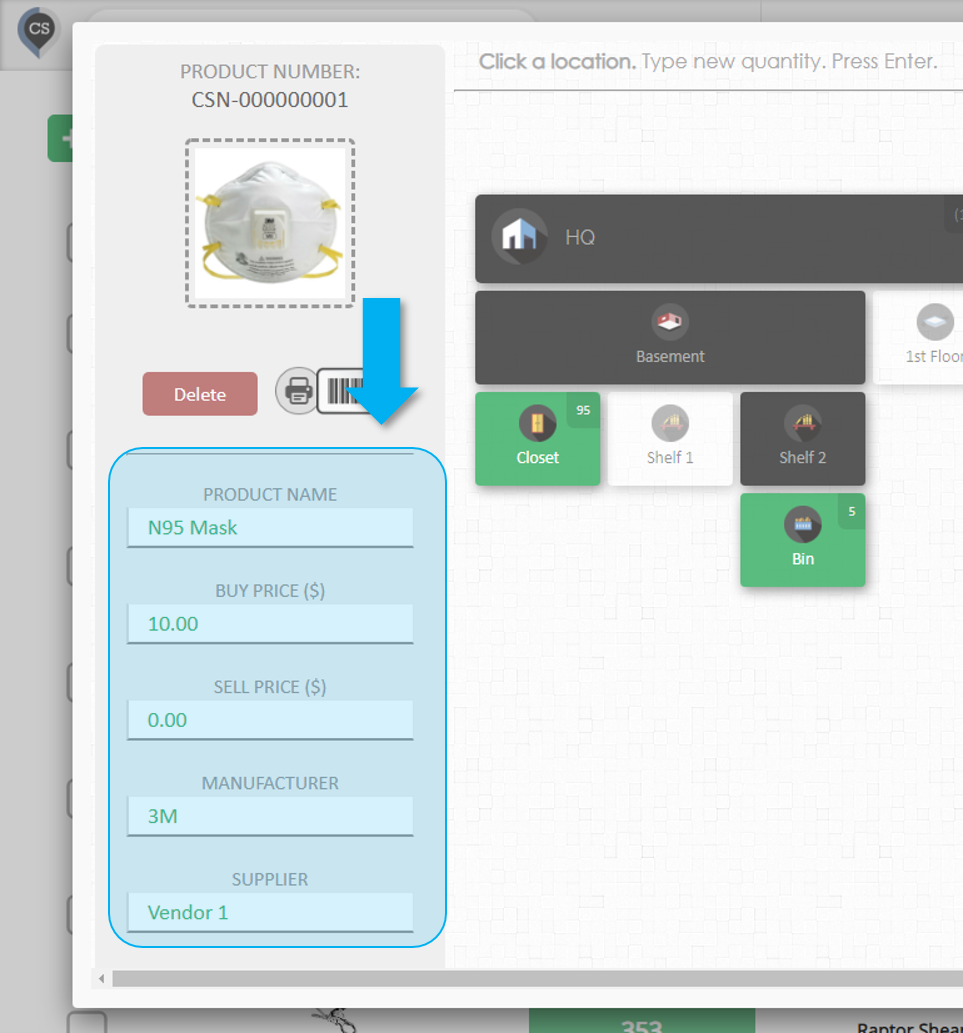
Edit any of the product's fields
The fields on the left side of the window can be edited.
Type anything in the field you want to change and press Enter or click anywhere.
Editing Multiple Products
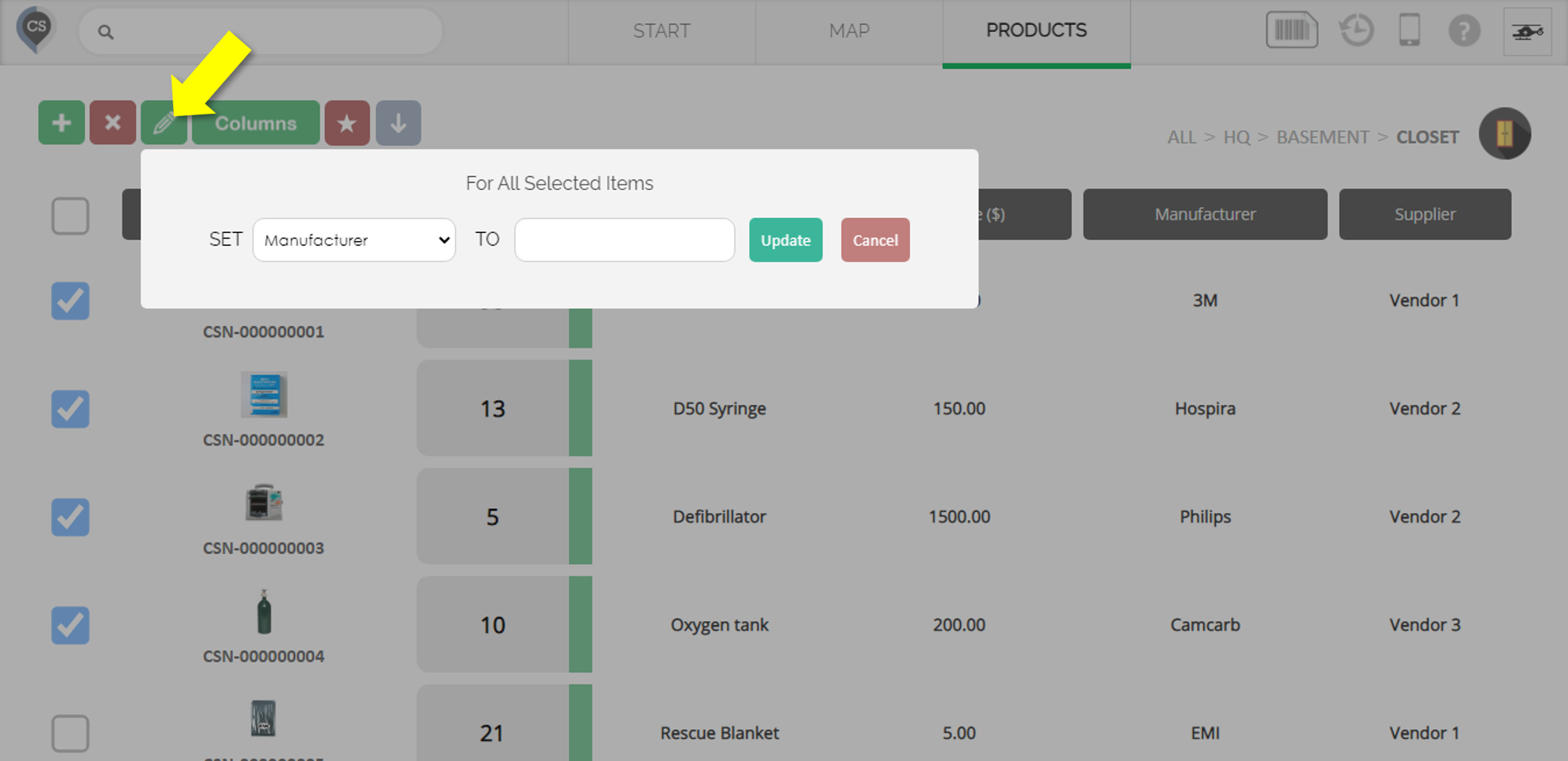
Go to the Products page
Select all the products you want to edit by clicking the checkbox beside each one
Click the green Multi-Edit button (Pencil icon)
Update the product field
Select the field you want to change
Set the value for that field
Click 'Update'
The change will apply to all the products you selected.