1. Go to any product's edit window. Please refer to this article about Searching and Viewing Products to learn how to find and select products.
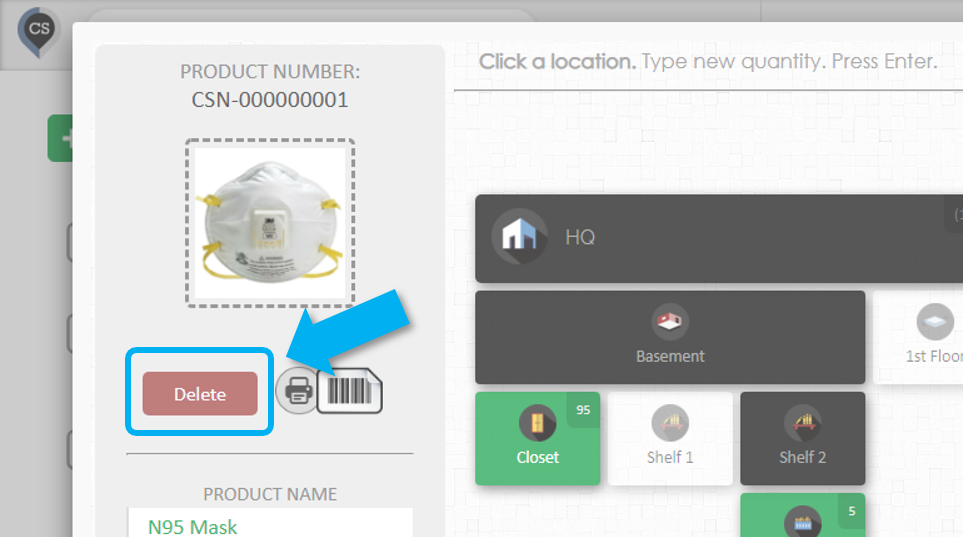
2. You will be asked for confirmation before the product is deleted.
Deleting Multiple Products
1. Go to the Products page.
When you're on the products page, be sure that the location selector is set to 'ALL LOCATIONS' so you can see all your products.
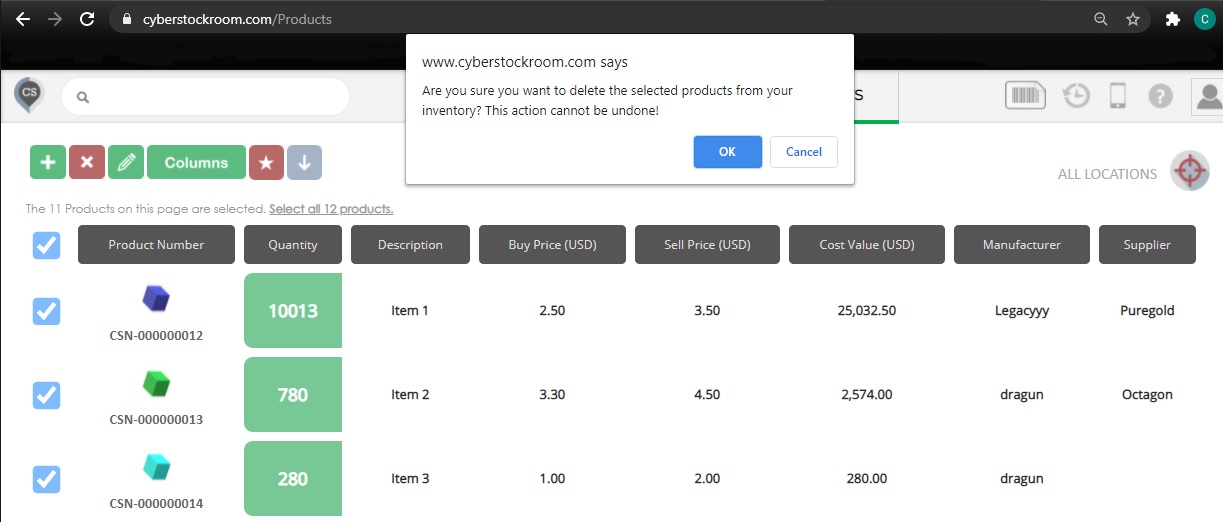
2. Select products by clicking on the checkbox beside them. You can also select all products by clicking on the top-most checkbox.
3. Click on the red 'X' button.
4. You will be asked to confirm before deleting the products