
Logo

CyberStockroom Help

if you can't find what you're looking for please email us at support@cyberstockroom.com

Color coding of the locations on the Map

Locations

Color coding of the locations on the Map

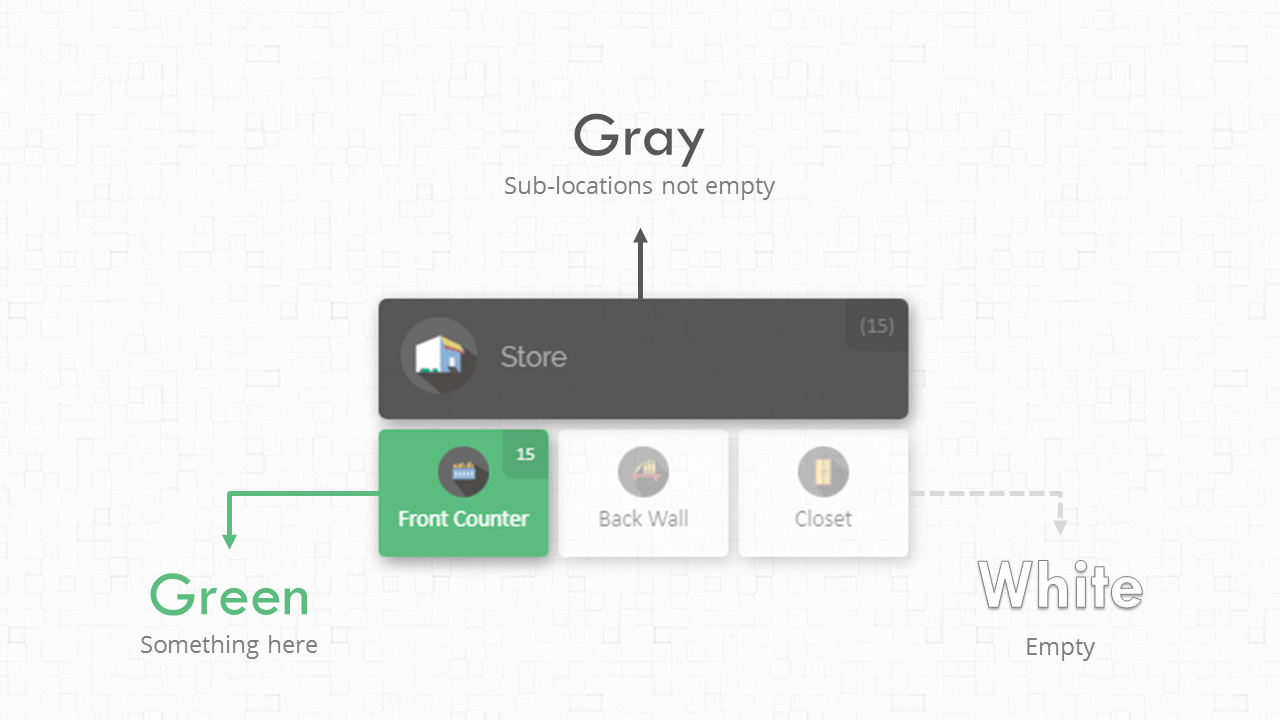
The colors on the CyberStockroom map allow you to quickly view how your products are distributed.

Last updated on 15 Dec, 2025

WHITE: The location is empty.

GREEN: The location contains products.

GRAY: The location is empty, but one or more of its sub-locations is not.
Image

* Note: If you have set the Thresholding Option, any location where the quantities are below the threshold will appear in red.


Did you find this article helpful?
Previous

Creating New Locations

Next