Deleting Locations
This article describes deleting a location from your map. To move products out of a location, please refer to the articles How to check products IN to inventory and Transferring Products Between Locations.
Deleting Locations Directly on the Map
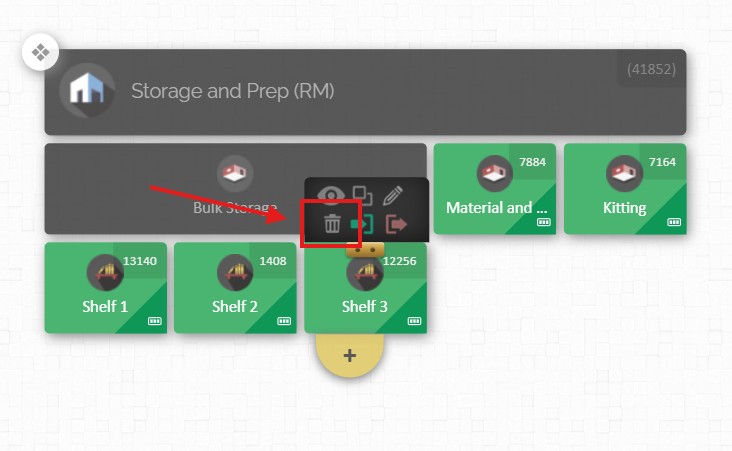
- Hover your mouse over the location you want to delete and click on the 'Trash bin' icon that will appear above it.
- A confirmation pop-up will inform you that any sub-locations will also be deleted, and all the products contained within will be checked out.
- Click the green 'YES' button.